| Area | What to do | Planning use |
|---|---|---|
| Router defaults | Change the default username, password and network name when the router is set up | Do this before any device joins, because every smart device connects through the router |
| Separate network | Consider a separate network for smart devices; most routers can host a guest network | Put cameras, doorbells and speakers there so they sit apart from computers and phones |
| Updates | Set updates to install automatically; otherwise set weekly or monthly reminders | Use automatic updates where offered and a calendar reminder for devices that need manual checks |
| Old devices | Replace or retire any device that can no longer receive updates | Budget for replacement rather than keeping an unsupported camera or doorbell online |
| Unused features | Turn off microphone, camera, Bluetooth or location access you do not need | Review these in each device’s app during first setup |
| Physical access | Keep recording devices in secure, out-of-sight areas and make sure reset buttons cannot be tampered with | Think about placement and reach as well as settings |
This advice comes from the New York State Office of Information Technology Services and from NIST’s smart home cybersecurity guidance.
The core of how to secure smart home devices is to harden the Wi-Fi router, change every default credential, keep updates current and, where the router allows it, give smart devices a network of their own.
The sections below follow the order in which most households can act, from the network outward to individual cameras, doorbells and locks. For the wider plan around these devices, see How To Design A Home Security System: A Practical Step-By-Step Plan For 2026 – Cubeguard.
Where smart home devices are exposed
Smart home devices connect to your home Wi-Fi network for a variety of functions, according to the New York State Office of Information Technology Services. That shared connection explains why the router and the passwords protecting it matter more than the brand of any single gadget. A weakness in one device can become a problem for the whole network.
The security vendor Kaspersky names the common weak points as weak passwords, insecure Wi-Fi networks and outdated software, and says hackers exploit all three. It also reports more than 1.5 billion cyberattacks on smart devices worldwide in the first half of 2021. That figure comes from a vendor, so read it as an indication of scale rather than a prediction for your own home. The useful point is that the weaknesses are ordinary ones that any household can close.
Can smart home cameras be hacked?
Yes. A smart home camera is an internet-connected device, so it shares the weaknesses above. In Kaspersky’s survey, 56% of users said their primary concern was that smart devices such as baby and pet monitoring cameras could be hacked or used to spy on them. NIST adds that many smart home attacks have been linked back to reused passwords. Together these point to the same conclusion: the practical risk for most households comes from everyday lapses with credentials, networks and updates, which this guide addresses one at a time.
Cameras carry a second exposure that software settings cannot fix. The state IT office warns that if cybercriminals gain physical access to a device, they can bypass many of its security features. Where a camera sits therefore matters as much as how it is configured, which the camera sections below cover.
Exposure by device type
The table compares the main device types in a typical smart home and the first protective action each one calls for.
| Device | Exposure | First action |
|---|---|---|
| Wi-Fi router | A key part of your cybersecurity plan; smart devices connect to it for a variety of functions | Change the default username, password and network name |
| Smart doorbell | May be more easily compromised than a computer on the main network | Keep it on a separate network from your computers |
| Security camera | Records video or audio; physical access lets attackers bypass many security features | Keep it in a secure, out-of-sight area |
| Smart lock | The reset button is a tampering point if someone can reach it | Locate the reset button and make sure it cannot be tampered with |
| Other IoT devices | Features may use the microphone, camera, Bluetooth or location tracking | Turn off the features you do not use |
The comparison draws on the New York State IT office’s smart home guidance and NIST’s smart home tips.
The router and Wi-Fi network
NIST describes your home Wi-Fi router as a key part of your cybersecurity plan. Securing it first makes every later step more effective, because everything else in the house connects through it.
Router settings to change first
The state IT office advises changing the default settings on your router, including the username, password and network name. Each default is a separate weakness. A factory username and password are the first thing anyone trying to get in would test. A default network name can also tell an outsider which router you own. Treat this as a task for the day the router is installed, and repeat it if you buy a replacement.
Encryption and the Wi-Fi password
Kaspersky recommends a strong, unique password with WPA2 or WPA3 encryption, and Netgear points to WPA3 where possible plus a robust Wi-Fi password. In practice, choose WPA3 if your router and devices support it and WPA2 if they do not. Check the router’s wireless settings to see which option is active, because an older router may still be set to something weaker. The Wi-Fi password should not repeat any other password you use, which ties directly into the credential advice later in this guide.
Should smart devices be on a separate network?
Yes, where your router allows it. NIST says you should consider setting up a separate network for your smart home devices. Its reasoning is that something like a smart doorbell might be more easily compromised than a computer. Keeping the two apart means a problem with one does not automatically sit beside the other.
Most people do not need extra hardware to do this. The state IT office notes that your router will come with a network that can be set up as a guest network. The choice suits households that keep laptops and phones on the main network and want cameras, doorbells and speakers kept away from them. It matters less if the router offers no such option, in which case the router’s own hardening and the update habits below carry more weight.
Setting up a guest network for smart devices
Router menus vary by make, so use the labels in your router’s manual rather than a fixed path. The state IT office recommends consulting the manual so the action is taken correctly. The sequence below holds for most routers.
- Secure the router first. Change the default administrator username and password before touching other settings.
- Find the guest network option. Look in the wireless or network settings for a guest network, which most routers offer.
- Name it clearly. Choose a network name that is different from your main one and does not reveal your router make, so you can tell the two networks apart when connecting devices.
- Set encryption and a password. Select WPA3 or WPA2 and enter a strong password that you do not use elsewhere.
- Check the bands. Most routers have 2.4 GHz and 5 GHz bands, and some routers add a 6 GHz band, according to the state IT office. The manual shows which of them the guest network covers.
- Move the devices over. Reconnect each smart device to the new network through its app, then confirm they all appear there.
The last step is easier with a clear device list. Our walkthrough on how to see what devices are connected to my wifi shows how to check what is joined to your network.
Passwords and sign-in
Credentials are the cheapest part of smart home security to fix and the part most often left alone.
Replace default usernames and passwords
Netgear calls changing any default usernames and passwords the first step in securing IoT devices. The reason is concrete: it warns that a smart doorbell with a weak password can be a gateway for hackers to reach your home network. A weak password on a small device therefore puts everything else on the network at risk. Make the change during setup, while you already have the device’s app open, rather than planning to return to it later.
Use a different password for each account
According to NIST, a large share of smart home intrusions trace back to passwords that were used more than once. If one service is breached and you used the same password for your camera account, the camera account is exposed as well. Give each device, app and router login its own password. This is a stronger measure than making one password very long and using it everywhere.
Prefer multi-factor authentication
NIST says multi-factor authentication is a much better option than a password or PIN alone. Switch it on for any smart home account that offers it, particularly for the accounts that control cameras, doorbells and locks. Where a device offers only a password or PIN, make that password unique, and treat the missing option as a point against that product when you compare alternatives.
Updates and retiring old devices
NIST explains that tech companies update smart home devices often, sometimes to fix security holes. An update you skip may be the one that closes a known weakness, which makes leaving updates to chance a real risk.
Make updates automatic
NIST’s advice is to set updates to happen automatically so you do not forget. For devices that cannot do this, the state IT office suggests checking for updates continuously and setting weekly or monthly reminders. A recurring calendar entry covers that, with a quick look through each device’s app. This also surfaces devices whose app has stopped offering updates, which leads to the next decision.
Know when to replace a device
NIST says that if a device is older and can no longer receive updates, you should consider replacing or retiring it. A camera or doorbell that no longer gets fixes keeps its known weaknesses permanently. When you buy new devices, ask whether the maker updates them, because an unsupported device is one NIST says to consider retiring. Replacement costs matter in this decision, and our guide on How Much Does a Security Camera Cost in 2026? Real Prices, Hidden Fees, and Budget Tips – Cubeguard helps you plan for them.
Cameras and doorbells
Cameras and doorbells record video and sometimes audio, so a compromise here exposes more than a lightbulb or plug would. Placement, network position and credentials all count.
Indoor cameras
The state IT office advises keeping devices in secure, out-of-sight areas, especially if they record video or audio. For an indoor camera, that means choosing a spot that is not visible from outside and not easy for a visitor to reach and handle. Because physical access lets attackers bypass many security features, a camera that anyone can pick up is only as secure as the room it sits in. NIST also says that if a device has a feature you prefer not to use, you should turn it off if you can, so disable unused audio or other functions in the app.
For a deeper look at placement and setup inside the home, see Indoor Security Cameras: How To Choose, Install, And Use Them Safely In 2026 – Cubeguard.
Outdoor cameras
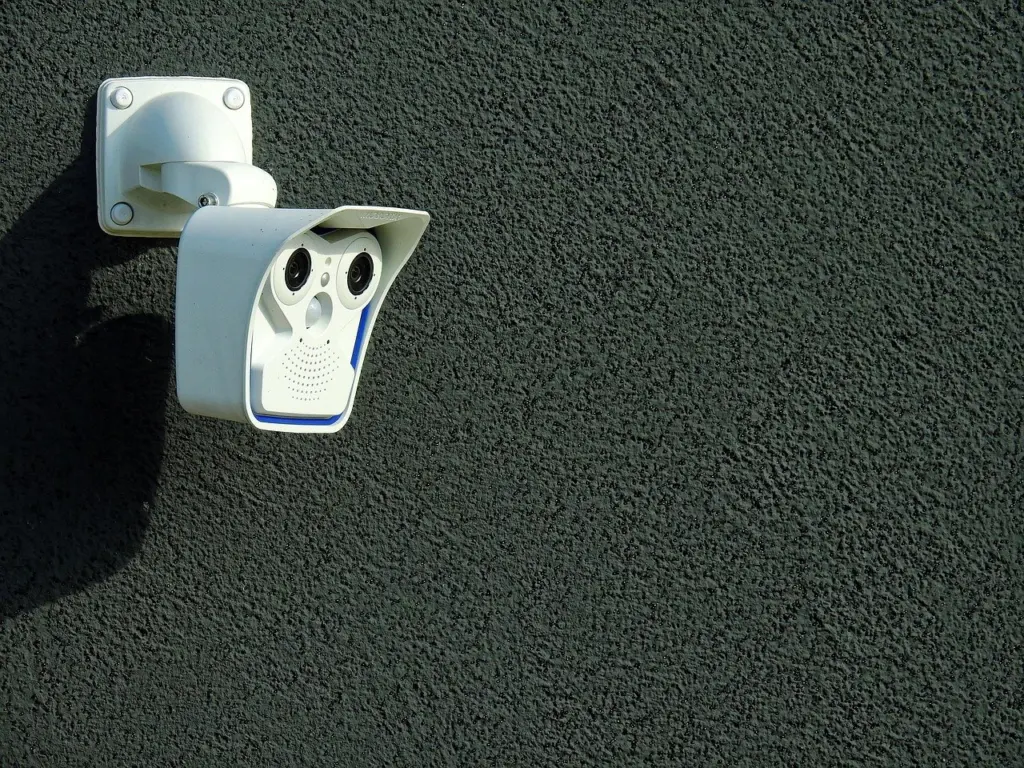
An outdoor camera cannot be hidden in the way an indoor one can, so the physical-access warning applies with more force. Since physical access lets attackers bypass many security features, mount outdoor units where they cannot easily be handled. The software measures still apply in full: change default credentials, enable encryption on the network it uses, and keep its firmware current.
Buyers weighing exterior options can read Outdoor Security Cameras: The 2026 Buyer’s Guide To Choosing, Installing, And Securing Your Home – Cubeguard. Lighting can complement a camera, and LED Motion Sensor Lights: The Smart, Energy-Saving Guide for 2026 – Cubeguard covers that option.
Video doorbells
The doorbell is the device NIST uses as its example of one that might be more easily compromised than a computer, and Netgear’s example of a weak password becoming a gateway into the home network. Both points lead to the same practical choice: put the doorbell on the separate network described earlier and give its account a unique password with multi-factor authentication switched on if it is offered.
Model choice is a separate decision from configuration. Our comparison of Best Video Doorbell 2026: Expert Picks And How To Choose The Right One – Cubeguard covers features, and Best No-Subscription Video Doorbells In 2026: Secure, Private, And Low-Cost Options – Cubeguard suits readers who want to avoid ongoing fees.
Whole camera systems and cameras without Wi-Fi
When several cameras share one app or recorder, the weakest account or device sets the level of protection for the whole system. Plan the network position, credentials and update routine for the system as a unit. The guide to Home Security Camera Systems: How To Choose, Install, And Secure Yours In 2026 – Cubeguard covers that planning, and Best Wireless Home Security Systems in 2026: Expert Picks for Easy, Reliable Protection – Cubeguard compares wireless packages.
Households that would rather keep cameras away from home Wi-Fi altogether can look at security cameras that work without wifi. For background on where camera technology began, see When Was The First Security Camera Invented? The 1942 Breakthrough That Launched CCTV – Cubeguard.
Smart locks
A smart lock combines an app login with a physical device on the door, so it needs both kinds of protection. The state IT office advises locating the reset button on any smart device and being sure it cannot be tampered with. On a lock, that means checking whether the button is exposed to anyone standing at the door or inside the house, and choosing a mounting position and cover that limit access to it.
For the app side, NIST’s preference for multi-factor authentication over a password or PIN applies directly. If the lock’s app supports it, turn it on. If the lock relies on a PIN alone, choose a PIN you use nowhere else. Since reused passwords have been linked to many smart home attacks, a unique code matters even for a short numeric credential.
Readers weighing the risks of this category can read about are smart locks safe, and those ready to shop can compare options in The Best Smart Lock For Your Front Door: 6 Top Picks And How To Choose In 2026 – Cubeguard.
Features, permissions and data on speakers, TVs and other devices
The state IT office points out that many IoT devices come with features that access your microphone, camera, Bluetooth or location tracking. Speakers, televisions and hubs often fall into this group, and the question for each feature is whether you use it. NIST’s advice is to turn off any feature you prefer not to use, if you can. Review the settings menu of each device after setup, because defaults are chosen by the maker rather than by your needs.
The same logic applies to the apps that control your devices. Kaspersky advises granting access only to the data and features necessary for the app to function properly, so decline permissions that have no obvious connection to what the app does. If you are unsure what a television collects, see is my smart tv spying on me for the settings to review.
Choosing where to start
Few households will fix everything in one afternoon, so the order matters. Use your situation to decide.
- You are setting up a new home network or router. Start with the router section, then add devices to a separate network from the beginning. It is easier than moving them later.
- You already own many devices. Begin by checking what is connected, then change any default credentials that remain. Weak passwords are the most common weakness named by both Kaspersky and Netgear.
- You own older devices. Check whether each one still receives updates. Those that do not are candidates for replacement under NIST’s advice, and the replacement decision is the one that needs a budget.
- You are buying your first camera, doorbell or lock. Choose the device type first using the product guides above, then apply the network and credential steps before it goes live.
- You want a coordinated plan. Map your entry points and devices together using the step-by-step plan in How To Design A Home Security System: A Practical Step-By-Step Plan For 2026 – Cubeguard.
Whichever route you take, finish by setting a recurring reminder to review updates, which keeps the earlier work from decaying.
Frequently asked questions
Can a compromised smart device lead to my laptop or phone?
It can. The state IT office says that once attackers are in through a smart device, they look for a device that holds information they can exploit, which is typically a laptop or smartphone. That is the main reason to keep smart devices on a network separate from the computers and phones you use for banking and email.
What if I cannot find the guest network setting on my router?
Consult the router’s instruction manual or contact your internet service provider, as the state IT office advises, so the change is made correctly. Router menus differ by manufacturer, and the provider can confirm whether your equipment supports a separate network.
Can my smart devices be used in attacks on other people?
Yes. Kaspersky says attackers can compromise smart home devices to enlist them in botnets used to launch DDoS attacks. A device with a weak password or outdated software is useful to them even if nothing on your own network is of interest.
Can I control how long my camera footage is stored?
On some devices you can. NIST notes that certain smart home devices let you choose how long your video or audio is saved, so look for a retention option in the camera or doorbell app and set it to the shortest period you are comfortable with.