Most affordable home security system options now combine low price and solid protection. The buyer should compare one-time costs, monthly fees, and device quality. The article lists cost parts, system types, and safety features. The reader will find clear choices for a sensible budget and real safety gains.
Key Takeaways
- The most affordable home security system balances one-time device costs, monthly fees, and quality features for real safety and budget sense.
- Choosing between DIY kits, subscription-based systems, or no-contract devices depends on your budget, tech skills, and desired monitoring level.
- Prioritize essential features like reliable motion detection, night vision, two-way audio, and cellular backups to enhance safety effectively.
- Compare total costs including installation, monitoring contracts, and additional fees to avoid hidden expenses in affordable home security systems.
- Decide on DIY versus professional installation based on your skill level, time, and preference for a seamless, professionally set-up system.
- Look for systems with clear pricing, solid warranty, easy app controls, and secure data transmission to ensure both convenience and security.
What “Affordable” Really Means: Cost Components To Consider
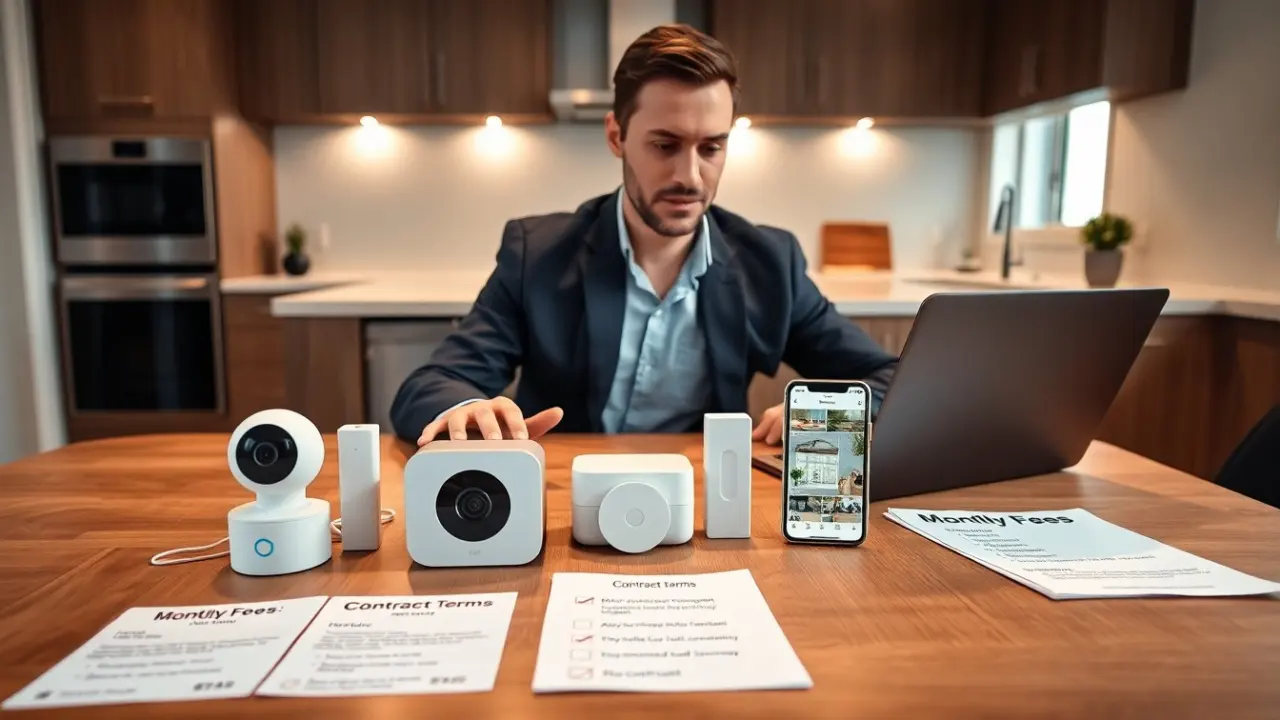
Most affordable home security system price breaks into clear parts. The buyer pays for devices, installation, monitoring, and optional add-ons. Devices include cameras, sensors, a hub, and alarms. The buyer pays once for devices or rents devices monthly. Installation may cost nothing for DIY units. A technician may charge a one-time fee for professional setup. Monitoring comes as self-monitoring or professional monitoring. Self-monitoring costs little or nothing. Professional monitoring costs a monthly fee. The buyer should check contract length and early termination fees. The buyer should check warranty length and return policy. The buyer should compare feature sets and actual value. A cheap upfront price may hide high monthly fees. A low monthly fee can follow a large initial device cost. The buyer should list needed features and then compare total first-year cost and annual cost. The buyer should account for any app fees, cloud storage fees for video, and cellular backup fees. The buyer should check for discounts when bundling devices or signing longer contracts. The buyer should test signal strength for wireless parts and confirm that older homes can support the system. The buyer should confirm if a system uses Wi‑Fi only or adds cellular backup. The buyer should prefer systems that show clear pricing and clear cancellation terms.
To evaluate affordability beyond sticker price, break costs into short-term and ongoing buckets:
- Short-term: device purchases, one-time installation, shipping/taxes and any immediate accessories.
- Ongoing: monthly monitoring, cloud storage, batteries, replacement parts, and potential contract penalties.
Types Of Low-Cost Home Security Systems (Pros And Cons)
Most affordable home security system types fall into three groups: DIY kits, subscription-based systems, and no-contract devices. DIY kits appeal to hands-on buyers. DIY kits have low upfront cost and no installation fee. DIY kits require the homeowner to install and configure sensors and cameras. The upside is control. The downside is time and possible user error. Subscription-based systems include professional monitoring for a monthly fee. These systems give 24/7 monitoring and fast dispatch. The upside is reduced burden on the owner. The downside is monthly cost and possible contracts. No-contract devices sell one-time. The buyer pays for devices only. The upside is price clarity and no long-term fees. The downside is the need to self-monitor and manage alerts. Wired systems work well in new construction. Wired systems tend to be lower long-term cost but require pro installation. Wireless systems fit renters and older homes. Wireless systems let the buyer move the system easily. Camera-only packages focus on video surveillance. Cameras deter and record. The buyer must verify night vision quality, field of view, and storage policy. Smart home integrated systems add convenience. They link locks, lights, and thermostats. The buyer should verify compatibility with chosen voice assistants. Each type shows tradeoffs. The buyer should choose the type that fits budget, tech comfort, and desired service level.
Here are practical considerations to help choose between types:
- DIY kits — Best for: tech-savvy buyers who want to avoid monthly fees. Look for easy mounting options, clear app setup, and good support documentation. Test placement before final installation.
- Subscription-based systems — Best for: people who want professional monitoring and worry-free response. Confirm contract length, what constitutes an emergency, and how video verification is handled.
- No-contract devices — Best for: those who want predictable, up-front spending and who can manage alerts themselves. Ensure the device supports reliable local storage or backup options if you want footage retained without recurring fees.
Affordable Features That Actually Improve Safety
Most affordable home security system buyers should prioritize a small set of features that affect safety most. First, motion detection must be reliable. Smart motion sensors reduce false alarms by filtering pets and small movements. Second, two-way audio on cameras helps the owner speak to visitors or deter intruders. Third, night vision matters. Cameras with clear infrared or color night view catch details after dark. Fourth, battery backup and cellular backup help when power or internet fail. The owner should choose systems that offer these backups. Fifth, verified professional monitoring with video verification reduces false dispatches and speeds response. Sixth, encrypted data transmission and regular firmware updates protect against hacking. The buyer should prefer systems with secure cloud storage and optional local storage. Seventh, geofencing and smart automation add practical benefits. These functions let the system arm when everyone leaves and disarm when the owner returns. Eighth, easy, clear app controls reduce user error. The buyer should test the app and ensure alerts arrive reliably. Ninth, clear, published false alarm reduction measures help avoid fines in some cities. The owner should check local false alarm rules. The buyer should rank features and pick a system that covers the top priorities without extra costly extras.
Actionable checklist of must-have (and nice-to-have) features for the most affordable home security system:
- Must-have: reliable motion sensors, night vision cameras, local and/or cloud storage options, battery backup, and encrypted communications.
- Highly recommended: two-way audio, cellular backup, tamper alerts, and a simple, well-reviewed mobile app with push notifications.
- Nice-to-have if budget allows: smart lock integration, doorbell camera, home automation routines, and professional video verification.
Choosing Between DIY And Professional Installation
Most affordable home security system buyers must decide between DIY and professional installation. The homeowner chooses DIY to save on costs. DIY lets the user place devices and test coverage. The DIY buyer should follow the manual and test each device. The homeowner chooses professional installation to save time and guarantee placement. A pro can run wires cleanly and ensure sensors align. A pro helps with system integration and monitoring setup. Professional installation adds a one-time fee. The buyer must compare that fee to time and potential mistakes. The buyer should ask the installer about warranty length and post-install support. The buyer should confirm whether the installer leaves clear documentation and login instructions. The buyer should test the system with a mock alarm after installation. The buyer should record the serial numbers and back up account credentials. The buyer should choose the option that matches skill, schedule, and need for a clean installation.
Practical tips for the decision:
- If you choose DIY: set aside dedicated time to map sensor coverage, perform walk tests, and schedule periodic checks (battery levels and firmware updates). Keep spares like batteries and an extra mounting kit on hand.
- If you choose professional installation: get multiple quotes, confirm what the fee covers (number of devices, wiring, configuration), and request a written checklist of work done and settings used.
- Hybrid option: install basic devices yourself and pay for a single professional visit to optimize placement or hardwire critical components.