A led motion sensor light switches on only when its sensor detects movement, which saves energy and adds one layer of security. It works best paired with a camera, and its value depends on brightness, detection range, power source and placement.
Treat the light as part of a wider setup rather than a standalone fix. For the bigger picture on connected devices, see how to secure smart home devices, then use the sections below to pick, place and tune a light.
How a motion-triggered LED light works
An LED motion sensor light pairs a motion sensor with an LED fixture, and the sensor decides when the light runs. Onforu describes its smart sensing as activating the light only when needed, and that is where the energy saving comes from: the LED stays dark until something moves.
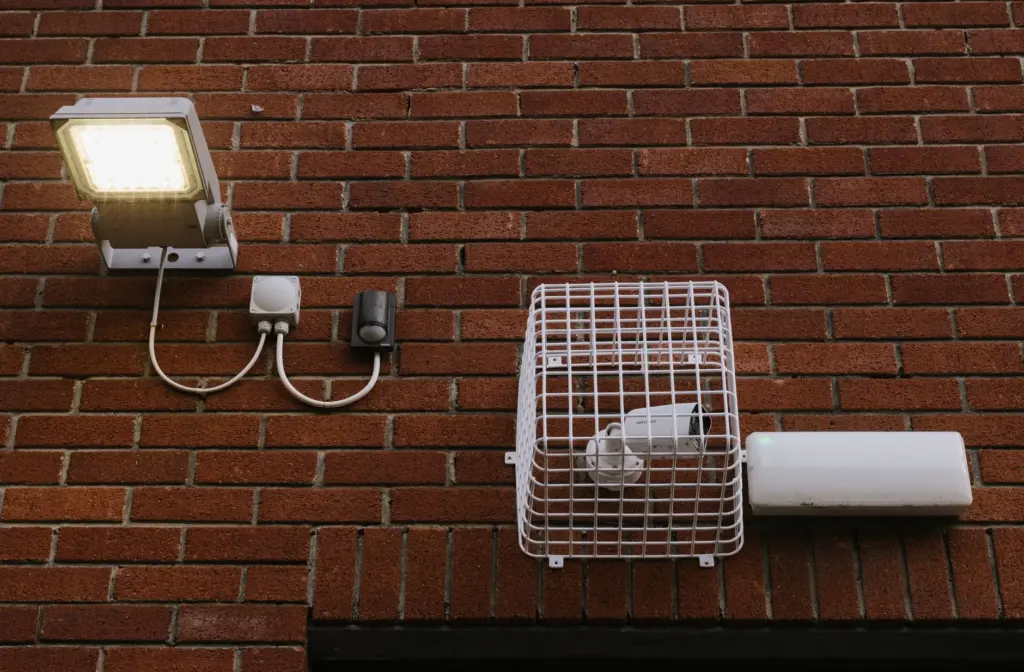
The cycle runs in four stages, and each one has a setting you can adjust:
- Detection. The sensor registers movement inside its detection range and angle. Anything outside that zone is ignored.
- Switch-on. The LED lights as soon as movement is registered, so a person approaching a door or driveway is lit up automatically.
- Hold. After movement stops, an auto-off timer keeps the light on. Hokolite says the timer is typically between 10 seconds and 5 minutes, depending on the model.
- Reset. The light switches off and waits for the next trigger.
Sensitivity controls the first stage. Per the same Hokolite guidance, reducing the sensitivity setting lowers the sensor’s responsiveness to smaller or more distant movement. Raising it makes the light react to more, which suits a long open yard but can cause nuisance triggers beside a busy road. The practical consequence is that most behaviour complaints, such as lights firing too often or staying on, trace back to sensitivity, timer or aim rather than the LED itself. The troubleshooting section below follows each of those in turn.
What motion lighting does for home security
Motion lighting is best described as an added layer of security, not a barrier. Sellers such as Wired4Signs frame it that way: hands-free illumination plus an added layer of security when movement is detected. That framing is the supportable claim. Whether a given burglar is put off cannot be promised, and a light by itself records nothing and sends no alert.
That limit shapes the buying decision. A light changes what someone approaching your property experiences, because they are suddenly visible. It does not capture who they are, and it does not tell you it happened unless you were looking. Think of a home setup in layers:
- Lighting. Makes approaches visible and gives people on your own property a lit path.
- Cameras. Record what the light reveals. Our guide to Outdoor Security Cameras: The 2026 Buyer’s Guide To Choosing, Installing, And Securing Your Home – Cubeguard covers choosing and positioning them.
- Alerts and sensors. Notify you in real time. If you want that coverage across the whole home, compare options in Best Wireless Home Security Systems in 2026: Expert Picks for Easy, Reliable Protection – Cubeguard.
If budget forces a choice, a light alone suits a back path or garage where you mainly want visibility. For a front door or driveway you care about, add a camera so the light has something to illuminate for.
Lumens, range and angle
Brightness, detection range and detection angle are the three specifications that decide whether a light suits a space. The figures below are buying guidelines from retailer guides, so treat them as sensible starting points rather than standards.
| Specification | Guideline | Planning use |
|---|---|---|
| Brightness, outdoor security floodlight | 1200 lm or more | A floor for security use, not a target. Go brighter for large driveways or yards. |
| Detection range, outdoor | 8–12 metres | Check that the range reaches where people would approach from, such as the gate or the end of the drive. |
| Detection angle | About 120° indoors; 180° or more outdoors | A wide outdoor angle covers open spaces. A narrow one can miss someone walking across the zone. |
Figures from buyer’s guidance on light output and on range and angle.
The 1200 lm figure is a minimum for outdoor security floodlights. Onforu lists high-lumen models at 3600LM, 5500LM, 6200LM or up to 9000LM, with wattage options of 27W, 36W, 40W, 55W, 65W and 100W. Compare lumens rather than wattage when you shop, because lumens measure the light you actually get. More brightness is not automatically better: a very bright fixture aimed at a narrow side path may be more than you need, while a wide driveway is where the higher models earn their place.
Wired, solar or battery power
Power source decides how reliable the light is and how much upkeep it needs. Buyer’s guidance on hardwired and solar lights separates the options clearly.
- Hardwired. Provides a constant, reliable power supply and is ideal for permanently installed outdoor lights. Installation by a professional is the sensible route. One hardwired floodlight in that guide is described as a maintenance-free power supply and is listed at 1700 lm. Choose wired for a front entrance or driveway you depend on every night.
- Solar. Performance is highly dependent on the amount of sunlight at the installation site. A well-exposed wall suits it, and a shaded side passage may not. It avoids running cable, which suits locations far from the house.
- Battery. Easy to mount anywhere, but another buyer’s guide warns that this approach can become costly and not very eco-friendly in the long run. It suits a rarely used spot or a trial placement before you commit to wiring.
For security lighting you rely on, wired is the safer default. Solar works when the site gets real sun. Battery is the stopgap.
Pairing a light with cameras and smart systems
Yes, a motion light can pair with a camera, either as a combined product or as separate devices working side by side. Some compatible models connect to smart home platforms, and Wired4Signs notes this allows remote monitoring and control from a smartphone.
Combined units put the light and the camera in one fixture. Onforu sells a 55W Smart LED Floodlight Camera SX08, and a buyer’s guide lists a solar-powered outdoor light combined with a security camera in a single Eufy product. That keeps the number of mounting points down. Separate devices give more freedom over where each one goes, which matters if the best spot for a light is not the best spot for a lens.
Anything that connects to your network becomes another device to protect, so apply the same care you would to a camera: unique passwords and current firmware. Our guide to securing smart home devices covers those basics.
Placement and installation
Placement affects performance as much as the light’s specifications do. A common recommendation for outdoor lights is around 2 to 2.5 metres, according to this buying guide. Aim the sensor across the approach path, such as a side gate, a garage frontage or a rear door, so a person walks through the zone rather than straight at the sensor. The same guide attributes false triggers often to an unsuitable detection area or a lack of sensitivity adjustment, so set the aim first and tune sensitivity afterwards.
Test at dusk after fitting. Walk the approach you want covered and note where the light fires and where it does not. Adjust the angle and sensitivity until it triggers for a person on the path but not for movement beyond your boundary. Hardwired fixtures are best left to a professional installer, while battery and solar models are straightforward to mount yourself.
Troubleshooting a light that stays on or misfires
A light that stays on is usually a setting issue, and the fixes can be checked in order from simplest to most involved:
- Check for manual mode. Onforu notes that some models may allow the light to be kept on manually, through settings or a manual mode. If the light stays lit regardless of movement, reset it to automatic.
- Review the auto-off timer. A long hold setting makes the light seem stuck on, especially if movement keeps re-triggering it. Shorten the timer if the model allows.
- Lower the sensitivity. A high setting responds to small or distant movement, so passing traffic, animals or foliage can keep restarting the cycle.
- Re-aim the sensor. An unsuitable detection area is a common cause of false triggers. Tilt the sensor away from roads, shared boundaries or windblown plants.
If the light seems to ignore movement instead, work in the opposite direction: raise sensitivity a step, widen the aim and confirm the person walks across the zone rather than directly at the sensor. On solar models, review how much sun the panel receives, since output depends on the installation site.
Frequently asked questions
What water rating should an outdoor motion light have?
Hokolite says an outdoor motion light should carry at least an IPX4 waterproof rating. Onforu states that its IP65-rated light works reliably in rain or snow, so a higher rating is the better choice for exposed positions.
How much battery capacity does a battery-powered light need?
A buyer’s guide suggests aiming for at least 1000 mAh for decent battery life with moderate use. Heavy use, such as a busy driveway, will drain a battery faster.
Is a night light as bright as a security floodlight?
No. The same guide puts a simple night light at 20 to 50 lm, while an outdoor security floodlight should be 1200 lm or more. Match the brightness to the job.
What does a floodlight camera cost?
Onforu lists its 55W Smart LED Floodlight Camera SX08 at $129.99. Prices change, so check the current listing before buying.