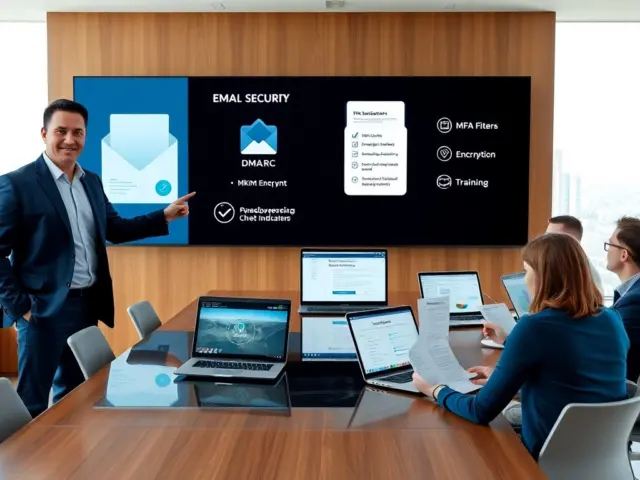
With no IT department and a limited budget, a small business cybersecurity checklist should start with multi-factor authentication, business-grade endpoint protection, automatic multi-location backups and staff training.
That order is a judgement about cost and coverage, not a rule from a single standard. Each item covers a different failure point, and none needs a dedicated security team to begin. Treat the list as a living document: one managed-IT provider’s checklist calls updating it regularly the most important to-do. Pick the route below that matches your situation, then use the later sections as reference.
Choose your route through the checklist
Different businesses arrive here with different problems. These routes send you to the part of the guide that fits.
- You have almost no controls in place. Work through the foundation controls in order: asset inventory, multi-factor authentication, endpoint protection, firewall and training.
- Your team works from home, client sites or cafés. Go straight to the remote and hybrid section, then return to the foundations for the device-level controls.
- You are worried about ransomware or losing data. Go to the backup section, which covers what a sound setup includes and how to choose between cloud and on-premises copies.
- You already own security tools but cannot show they work. Use the review and audit section to build a repeatable yearly check.
- You take card payments, send a lot of email or hold regulated client data. The specialist routes section points to focused guides.
- You lack the time or skills to do this yourself. Read the outside help section to decide what to hand over.
Why a prioritized plan beats a long list
A prioritized plan matters because small businesses carry the same exposure as larger firms with far less to defend it. A managed-IT provider’s checklist notes that most small businesses lack the security resources and expertise of large organizations. A long enterprise-style framework is therefore the wrong starting point for a small team.
The practical answer is sequencing. Early items are mostly configuration and habit: turning on a second sign-in step, writing down what you own, scheduling training. Later items involve spending or specialist help: monitored endpoint tools, professional audits, outsourced support. Doing the cheap, high-coverage items first lets you spend on the expensive ones with a clearer idea of what is left.
A prioritized plan also gives you a way to say no. If a vendor pitches an advanced product before your accounts have a second sign-in layer or your backups have been checked, the checklist tells you what to do first.
Foundation controls to put in place first
The tools a small business needs are fewer than the market suggests: a way to see what you own, multi-factor authentication, business-grade endpoint protection, a configured firewall, tested backups and a training routine. If you are building from scratch, the walkthrough in Small Business IT Setup: A Practical 2026 Playbook To Get Online, Secure, And Scale – Cubeguard pairs well with this section.
Asset inventory
Start with a plain list of what is connected to your network: laptops, phones, servers, printers, routers, software and cloud accounts. You cannot patch, protect or retire something you have not listed.
The managed-IT checklist specifically tells businesses to review older software and hardware components that are connected to the network. The decision for each old item is simple: keep it patched, replace it, or disconnect it. A spreadsheet with an owner, a purpose and a status column for each item is enough at this size. Revisit it whenever someone joins, leaves or buys a device.
Multi-factor authentication and identity
Multi-factor authentication, or 2FA, adds a second layer of security to passwords. A stolen or guessed password alone then no longer opens the account. Another IT services checklist advises implementing it for all vital assets.
“Vital assets” is where to prioritize. Start with email, finance and banking tools, admin consoles, file storage and remote-access accounts. Move to lower-value applications after those are covered. Identity and access management tools, according to a compliance-software vendor’s checklist, support both multi-factor authentication and single sign-on so that only authorized users reach sensitive systems. That makes them worth considering once your application count grows.
Two supporting pieces help staff comply. A shared company password vault removes the temptation to reuse passwords; the comparison at best password manager for small business covers the options for teams. If your email and documents live in a cloud suite, the admin settings there are the quickest place to enforce sign-in rules; see google workspace security best practices for the settings to change first.
Endpoint protection
Every laptop, desktop and phone that touches company data is an endpoint. The baseline is antivirus and anti-malware software, which the compliance vendor’s checklist calls critical for defending against malicious software. The managed-IT checklist goes a step further: install a business-grade endpoint security product, not just an antivirus program.
The table compares the three levels you are likely to meet when shopping.
| Option | What it does | Best suited to | Planning use |
|---|---|---|---|
| Basic antivirus and anti-malware | Defends against malicious software; needs to stay up to date on every protected device | A minimum layer on any device | Do not stop here if the business holds customer or financial data; business-grade products are the advised standard |
| Business-grade endpoint security | Goes beyond an antivirus program as the managed-IT checklist advises | Most small teams without in-house IT | The sensible default purchase; check it can be managed centrally for the whole team |
| Endpoint detection and response (EDR) | Gives visibility into endpoint activity so IT teams can detect and respond to threats before they cause harm | Businesses with a person or provider who can act on alerts | Consider when someone is available to watch and respond; otherwise pair it with a monitoring service |
Descriptions come from the Hyperproof checklist and the Teal Tech checklist; the suitability column is editorial judgement.
The practical split is staffing, not budget alone. EDR produces information that someone has to act on. If nobody on your team will read alerts, an alerting tool alone leaves a gap, and a service that monitors for you may fit better; mssp vs mdr explains how those service types differ. For product comparisons, see best antivirus for small business.
Firewall
Firewalls, in the Hyperproof checklist’s words, act as the first line of defense by filtering traffic to block unauthorized access. They only do that job when correctly configured and regularly updated, so a firewall left on factory settings is less protection than it looks.
Put a rules review on the calendar. The managed-IT checklist includes firewall rules among items to address at least once per year. When reviewing, remove rules for services you no longer run and confirm that remote-access exceptions still match your current policy. If you are choosing hardware or a managed firewall service, best firewall for small business walks through selection and setup.
Employee training
Tools fail when staff approve the wrong prompt or open the wrong attachment. The managed-IT checklist says to schedule regular security training for managers and employees, and the Hyperproof checklist says regular sessions help staff recognize phishing and use company-issued devices securely.
Include the owner and managers: they usually hold the most powerful accounts and are the people an attacker most wants to impersonate. Short, regular sessions tied to real examples from your own inbox are easier to sustain than a single annual event. Ask new starters to complete training before they receive access to vital systems.
Securing remote and hybrid employees
Securing remote employees comes down to three things: a written remote-access policy, verified sign-ins, and protected connections and devices. Remote work moves company data to home networks, personal spaces and shared venues, so the rules need to follow the person rather than the office.
Policy and access
An IT services firm’s checklist states plainly that small businesses need security policies for remote access. A useful policy says which devices may connect, which applications are reachable remotely and who approves exceptions.
Zero trust is the principle behind modern access rules. According to the Hyperproof checklist, every access request, whether from inside or outside the network, should be verified and authenticated. For a small team, this means that being on the office network should not by itself grant access, and it is the reason multi-factor authentication and single sign-on belong in the remote plan, not only the office plan.
Connections and devices
A VPN creates an encrypted tunnel for remote employees to access the company network securely. It suits teams that still run internal systems, such as file servers or line-of-business software, that staff need to reach from outside.
Devices need the same endpoint protection as office machines; the endpoint section above sets the standard. If staff use personal phones or tablets for work, a management layer can enforce settings; see mobile device management for small business. If most of your work happens in software-as-a-service apps rather than on a company network, cloud security for small business explains who protects what in those apps.

Backups that survive an incident
A sound backup is automatic, secure and stored in more than one place. That is the standard the Hyperproof checklist sets: backups should be automatic, secure, and stored in multiple locations, such as cloud and on-premises. Backups are also what restores your network and website after a ransomware attack, according to the IT services checklist.
What a sound setup includes
Automation matters because manual backups depend on someone remembering. The frequency question has a concrete test in the managed-IT checklist: does your backup copy data off site every day? If the honest answer is no, that gap is your first fix. The same checklist recommends the 3-2-1 backup rule to prevent extensive downtime. Write your backup policy so that it states exactly how your arrangement meets that rule, and name the person who checks it.
Restoration is the point of the exercise. Choose a file and a system now and confirm you can bring them back before an incident forces the question.
Choosing between cloud, on-premises or both
The backup strategy options in the evidence are location-based. Cloud copies and on-premises copies are the two named examples of multiple locations, so a combined setup is the straightforward way to meet that requirement. Which to add first depends on your situation:
- Mostly cloud-based work: make sure your cloud data is also copied somewhere you control, so it is not stored only with the provider that hosts it.
- Files on a local server or office machines: add an automatic off-site copy before anything else, since this is the gap the daily off-site test targets.
- A mix of both: map each data set to its copies and locations on your asset inventory, then fill whichever location is missing.
Product comparisons for small teams are in best backup solution for small business. Backups cover only part of recovery: the plan for who does what afterwards is covered in IT Disaster Recovery Plan Template For Small Businesses: A Simple, Ready-To-Use Guide (2026) – Cubeguard.
Specialist routes: email, payments and sector rules
Some businesses face an exposure that the general checklist only touches. If one of these describes you, the focused guides go further than a pillar page can.
- Email is your main channel. The steps in Email Security For Small Businesses: 10 Practical Steps To Prevent Hacks In 2026 – Cubeguard go deeper than the training advice above, and how to set up dmarc covers the domain settings that sit behind it.
- You run a till or card terminal. Retail and restaurant setups are covered in pos system security, and the question of which card-industry requirements apply to you is answered in pci compliance for small business.
- You handle client financial records. Accounting and tax practices have their own written-program expectations, set out in cybersecurity for accountants.
- You run a nonprofit. Donor data and tight budgets shape priorities; see cybersecurity for nonprofits.
- Someone may be impersonating the company. Detection and response steps are in business identity theft protection.
- You need physical monitoring too. Cameras are part of site security, and best security camera system for small business covers choosing, securing and legal limits.
- You want financial protection for the cost of an incident. Pricing and policy terms are discussed in cyber insurance for small business.
Reviews, audits and assessments
A small business security audit can start as a structured self-review. The managed-IT checklist says its listed issues should be addressed at least once per year, which gives you a minimum cadence for a cybersecurity assessment of a small business. Set a recurring date, assign an owner and keep a short record of what you found and fixed.
A yearly review can follow this order:
- Refresh the asset inventory. Add new devices and accounts, and decide what to do with any older hardware or software still connected to the network.
- Review firewall rules. Remove rules that no longer match a service you run and confirm remote-access exceptions are still approved.
- Confirm multi-factor authentication coverage. Check that every vital asset still requires it, including accounts created since the last review.
- Test a restore. Recover a sample file or system from backup and confirm the off-site copy is current.
- Update training and the checklist. Add examples from the past year and change any item that no longer matches how the business works.
Two next steps extend a self-review. A written response plan means the first hour of an incident is not spent deciding who to call; the format is in incident response plan template small business. Once the basics are stable, an outside tester can probe what a self-review cannot; penetration testing for small business covers scope, cost and hiring.
Getting outside help
Outside help is the right choice when a checklist item needs skills or time you do not have. The managed-IT checklist puts it simply: hire an outside firm to handle what you can’t. The useful question is not whether to outsource everything, but which items to hand over. Monitoring, patching and device management are common candidates because they need steady attention. Policy decisions and approvals stay with you.
The guides below cover the main models and costs:
- Broad technology planning: IT Solutions for Small Business: Practical Tech Strategies to Save Time & Cut Costs in 2026 – Cubeguard sets security in the wider technology picture.
- Ongoing management: Managed IT Services For Small Businesses: Cut Costs, Boost Security, And Scale Smart In 2026 – Cubeguard explains what a managed service typically covers.
- Handing over whole functions: Small Business IT Outsourcing: How To Cut Costs, Boost Security, And Scale In 2026 – Cubeguard helps you decide how much to outsource.
- One-off direction: Small Business IT Consulting: Practical Strategies To Modernize Your Tech In 2026 – Cubeguard suits a project-based approach.
- Support for distributed staff: Remote IT Support For Small Business: Save Time, Cut Costs, And Stay Secure In 2026 – Cubeguard covers help delivered at a distance.
- Tracking requests: Best IT Help Desk Software For Small Business: Choose, Deploy, And Save Time In 2026 – Cubeguard is for businesses that want a record of support issues and fixes.
- Budgeting: How Much Does IT Support Cost For Small Businesses In 2026? A Practical Pricing Guide – Cubeguard helps you compare quotes against what you actually need.
Wait on outsourcing the monitoring layer until the foundations are in place: a provider cannot compensate for missing sign-in controls or untested backups. Once those basics exist, the next decision is whether you need a monitoring service, which is where the MSSP versus MDR comparison earlier helps.
Frequently asked questions
| Question | Answer |
|---|---|
| How often should passwords be changed? | Annually is generally fine, according to the managed-IT checklist. Put your effort into multi-factor authentication on vital assets rather than frequent forced changes. |
| Does a small business need written security policies? | Yes. The IT services checklist advises writing clear policies that explain security obligations and concerns to employees, and a technology reseller’s checklist advises checking that any checklist you adopt covers the IT policies every business should have. |
| Does every device need endpoint protection? | Yes. The managed-IT checklist calls for a business-grade endpoint security product, and the Hyperproof checklist says antivirus and anti-malware protection should be kept up to date on all devices. |
| Is a professional security audit necessary? | It is an option rather than a requirement. The managed-IT checklist says to consider a professional IT security audit, which suits businesses whose self-review leaves gaps they cannot assess alone. |