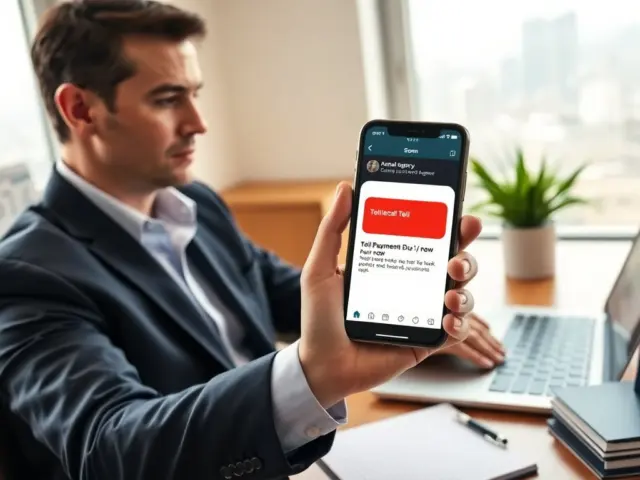
Phishing email examples appear in inboxes every day. The examples in this text show real tricks and clear signs of fraud. The article helps people spot scams fast. It guides users through step-by-step checks and expands on common templates attackers use, specific red flags to watch for, and practical next steps after a suspected compromise. The language stays direct and simple to aid fast action, and each section includes concrete actions you can take immediately.
Key Takeaways
- Phishing email examples often impersonate trusted companies using fake logos, urgent language, and requests for sensitive information to trick recipients.
- Use a quick checklist to analyze suspicious emails by verifying sender domains, hovering over links, avoiding unexpected attachments, and spotting pressure tactics or errors.
- Protect yourself from phishing by enabling multi-factor authentication, using unique passwords, updating software, and employing email filters or anti-phishing tools.
- Report phishing emails promptly to your provider or authorities, and follow recovery steps such as disconnecting devices, changing passwords, and running antivirus scans if compromised.
- Organizations should train staff with real phishing email examples and conduct simulated phishing tests to strengthen defenses against attacks.
Common Phishing Email Examples And What Each Looks Like
Phishing email examples often copy real companies. Scammers use logos, headlines, and urgent requests. They ask people to click links, open attachments, or provide passwords. Below are the most common templates you will see and the specific signs that distinguish each.
1) Bank and payment-service scams: These emails claim an account is frozen, a payment failed, or a charge was disputed. They ask recipients to “verify” login details or confirm a payment by clicking a link. Red flags include mismatched sender domains (display name shows a bank, but the email comes from a free webmail address), URLs that do not match the bank’s domain when you hover, and requests to provide full account numbers or passwords by email.
2) Delivery and invoice scams: Messages pretend to be from couriers or vendors and include a tracking link, invoice, or attachment (often a ZIP or Office file). Common signs are unexpected attachments, links that redirect through shorteners, vague references to “your package” without details, and grammar mistakes that do not match the sender’s usual style.
3) Workplace-targeted phishing (BEC and credential harvests): These are crafted to look like HR, IT, or an executive. They often request password resets, access to shared drives, or urgent wire transfers. Look for unusual sender addresses, calendar invites from external addresses, and pressure to bypass normal internal processes. Attackers sometimes spoof an executive’s display name while using an external account.
4) Fake invoice and subscription renewal notices: These claim you owe money or a subscription will expire, with a link to “renew” or “view invoice.” The link may lead to a page that asks for billing info. Verify by checking your account directly on the vendor’s site (do not click the email link) and by confirming recent invoices with the vendor’s billing portal.
5) Attachment-based malware: Emails present attachments with names like “Invoice.zip,” “Resume.docm,” or “Details.exe.” Files that request macros or run executables are particularly dangerous. If an attachment is unexpected, confirm with the sender by a separate channel before opening. Modern attack variations may use password-protected ZIPs with the password provided in the email to bypass scanning.
6) Credential-stealing landing pages and fake login forms: Links in phishing email examples commonly lead to pages that look nearly identical to legitimate login screens. Subtle differences in domain, missing HTTPS padlock on older pages, or requests for information the real service would never ask for (e.g., full social security numbers by email) are key giveaways. Always check the address bar and, if in doubt, navigate to the service by typing its known URL or using a bookmark.
7) Social engineering and tax/employment scams: Attackers use personal details found on social media or public records to craft believable messages about pay, benefits, or tax refunds. Personalized greeting doesn’t guarantee legitimacy—confirm requests that involve money or sensitive data through a known, separate channel.
Across these examples, common traits include urgency, unusual sender domains, generic greetings like “Dear Customer,” mismatched reply addresses, shortened or obfuscated links, unexpected attachments (especially .exe, .scr, .zip, .docm), and pressure to act immediately. Security teams should treat unexpected requests as suspicious and verify by visiting the official website directly or calling the official phone number.
How To Analyze A Suspicious Email Step‑By‑Step
Quick Checklist: Sender, Links, Attachments, And Language
People should use this short checklist for quick decisions. Follow each step in order, and take a pause before responding.
1. Sender: Confirm the domain. Check the full email address (not just the display name). If the domain is off by a letter or uses extra words, treat it as suspicious.
2. Links: Hover and read the full URL. Do not click. Look for mismatched domains, extra path segments, or URL shorteners that hide the destination.
3. Attachments: Do not open unexpected files. If an attachment is necessary, request the sender to re-upload it to a verified company portal or share via a known file service, then scan it with antivirus from a safe system.
4. Language and tone: Look for urgency, threats, or blunt instructions to “verify now” or “pay immediately.” Poor grammar or odd phrasing can indicate a phishing attempt, though highly targeted attacks may be well-written.
5. Requests for credentials or money: Treat requests for passwords, MFA codes, or wire transfers as high risk. Legitimate organizations rarely ask for full credentials or one-time codes over email.
6. Verification: Independently verify by using official contact details. Do not reply to the suspicious email. If it claims to be from a colleague or vendor, call or message them using previously saved contact information.
7. Email headers: For technical users, inspect headers to find the originating IP and DKIM/SPF/DMARC authentication results. Many webmail providers offer a “view original” option to see these headers. If authentication fails or the originating IP is unknown, escalate to your IT or security team.
8. Sandbox and isolate: If you opened a suspicious attachment or clicked a link, avoid using the same device for sensitive actions. Use a different, known-clean device to change passwords and check accounts.
This checklist makes it simple to compare the email against common phishing email examples and decide whether to delete, report, or escalate the message.
How To Protect Yourself, Report Scams, And Recover If Compromised
Prevention, reporting, and recovery each have concrete steps you can take. Implement layered defenses, know how to report suspicious messages, and follow a recovery plan if an attack succeeds.
Protection steps:
- Enable multi-factor authentication (MFA) on all accounts that offer it. Use app-based authenticators or hardware tokens over SMS where possible.
- Use unique, strong passwords stored in a reputable password manager. Avoid reusing passwords across important accounts.
- Keep devices, operating systems, browsers, and email clients updated with the latest security patches.
- Enable spam filters and anti-phishing features in your email client. Many services provide phishing detection and warnings—keep those enabled.
- Train yourself and staff with real phishing email examples and simulated exercises so people learn to recognize evolving tactics.
- Limit the amount of personal information you publish on social media and public sites to reduce the effectiveness of targeted social‑engineering attacks.
Reporting steps:
- Forward suspicious emails to your email provider’s phishing/reporting address using their recommended method (often a menu option to “Report phishing”).
- If the message targets your workplace or appears to be a business email compromise, notify your IT/security team immediately and follow internal reporting procedures.
- For scams involving financial loss or identity theft, report to local law enforcement and the appropriate consumer protection agency in your country.
- Preserve the original message: do not delete it until instructed. Capture headers and save attachments for investigation.
Immediate recovery actions if you clicked a link or opened an attachment:
- Disconnect the device from the internet or network to limit further malicious activity.
- Use a known-clean device to change passwords on affected accounts and enable MFA where it was not already active.
- Run a full antivirus and anti-malware scan on the affected device, and follow remediation guidance from your security software or IT team.
- Check account activity and login history on important accounts (email, bank, cloud storage) and revoke any unknown sessions or app authorizations.
- Contact banks or payment services if financial information may be compromised. Consider placing fraud alerts or freezes with credit bureaus when identity theft is a risk.
- If personal data was exposed, follow recommended identity restoration steps and consider professional recovery services if necessary.
Organizational response best practices:
- Log incidents and preserve evidence: keep the original email, headers, and any related artifacts for investigation.
- Review authentication logs and VPN/access logs for suspicious logins following the timestamp of the phishing email.
- Rotate credentials and revoke tokens if an account is suspected to be compromised.
- Run targeted awareness training for teams affected by the incident and adjust controls, such as email filtering rules or stricter MFA policies.
Following these prevention, reporting, and recovery steps reduces damage and improves the chance of recovery from phishing email examples. Staying cautious, verifying requests independently, and responding quickly when something goes wrong are the most effective defenses against these common attacks.