You lock one profile to private and assume the rest is covered, yet the sign-in, tags and connected apps stay open. Social media privacy settings work as a set: secure sign-in first, then audience, discoverability and app access.
The sections below correct the most common assumptions in priority order. They sit within our wider guide on how to stop online tracking.
Common assumptions that leave accounts exposed
Most privacy problems come from a few false comfort beliefs, not from obscure menus. A private profile, a tidy friend list or a recent settings change can each feel like the job is done when it is not. The table contrasts the beliefs with what the evidence supports and what to do about each.
| Common belief | What is supported | Planning use |
|---|---|---|
| “My posts are private, so I am safe.” | Privacy options need to be configured so content is accessible only to the people you want to see it. Audience is one control among several. | Check the audience on each platform, then move on to sign-in protection. |
| “If someone learns my password, the account is lost.” | Accounts protected with two-step verification (2SV) stay inaccessible to someone who only knows the password. | Turn 2SV on before tuning anything cosmetic. |
| “A public friend list is harmless.” | A public friend list gives outsiders a fast relationship map. | Restrict who can see connections, especially on Facebook. |
| “New defaults fix what I posted earlier.” | New defaults do not reliably fix old exposure. | Audit older posts and tags separately from the settings change. |
These points draw on the UK National Cyber Security Centre’s social media safety guidance and a privacy settings checklist.
Which settings matter most
Sign-in protection matters most, followed by who can see your content and who can find you, then what connected apps can reach. That order follows the damage each failure can cause: a taken-over account outweighs an over-shared photo.
- Two-step verification. 2SV is also called two-factor authentication. Switch it on wherever the service offers it, as the University of Pennsylvania Law School’s IT guidance advises.
- Active logins and devices. Review the sessions signed in to each account and report any that look unfamiliar.
- Audience for posts and stories. Make sure content reaches only the people you intend.
- Discoverability and tags. Limit how strangers can find you and which tagged posts reach your profile.
- Connected apps and permissions. Remove access you no longer use.
Do the first two on every platform before the rest. Audience tweaks matter less if someone else can simply sign in as you.
Audience, discoverability and tagging by platform
Each platform names these controls differently, so work through them one app at a time rather than assuming a setting carries across.
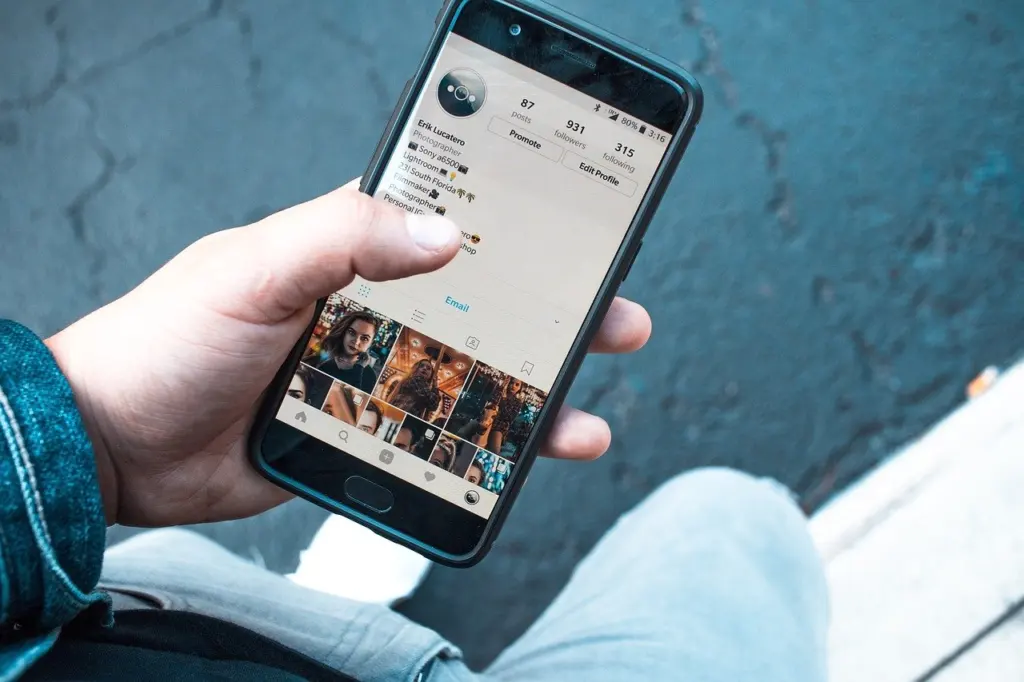
Start with discoverability. If you do not need the convenience, restrict who can find you by phone number or email. Then hide or restrict your friend list, since a public list maps your relationships for outsiders. Finally, require review before tagged posts appear on your profile, so other people’s photos do not decide what your page shows.
Stories can be hidden from specific people or groups, which suits a wide follower base with a smaller circle you actually share with. Check whether the app has access to your phone contacts, because contact syncing is a route by which people find you. Turn on stronger sign-in protection and review the devices currently signed in.
X and TikTok
X lets you protect your posts so they are not open to everyone, and the NCSC links X’s official guide on how to protect and unprotect your Tweets. For TikTok, the same NCSC page links the platform’s privacy and security settings guide. Use those official pages for current menu paths, since interface wording changes between app versions.
What new settings do not undo
Tightening a setting protects what you post from now on more reliably than what you posted before. Scroll back through older posts, tags and profile details and remove what you would not want a stranger to read. Choosing different usernames across your social profiles also makes it harder for data brokers to link them together.
Limiting ad tracking and data sharing
Reducing tracking is mostly about cutting off the routes data travels through: logins that connect services, phone permissions and browser data. The supported levers are below.
- Third-party logins. Be cautious about signing in to other apps with your Facebook or Google login, because that can share more than you intend. Use a unique login for each app, kept in a password manager, and remove old games, quizzes and logins you no longer use.
- Location sharing. A phone may share location data with apps and websites without your knowledge. Check each app’s permission, and read Does Your Location Turn Off When Your Phone Dies? What Really Happens (2026) – Cubeguard for how location behaves on the device itself.
- Browser data. Cookies are another tracking route outside the apps, covered in How to Clear Your Cookies: Quick Steps to Protect Privacy and Fix Browser Issues (2026) – Cubeguard.
- Separate identities. Different usernames per profile limit how easily your accounts are connected.
Each platform’s own ad settings are worth opening once you have dealt with these routes. Check that platform’s help centre for the current wording.
Recovering a breached account
If an account is breached, act on the sign-in first: secure the password, end unknown sessions, and make sure two-step verification is on. The order matters because 2SV can keep out anyone who holds only your password.
- Replace the password. Use a password you have not used anywhere else. Avoid recycling passwords across platforms, and consider a secure password manager so unique passwords are practical.
- Log out unknown sessions. Check for unrecognised devices or sessions and sign them out so only you have access. This is the same review you should repeat routinely.
- Enable 2SV with an authenticator app. An authenticator app avoids reliance on SMS codes. The NCSC points to Cyber Aware’s setup links for popular services including Instagram, Snapchat, X and Facebook.
- Check linked services. Remove third-party app logins you do not recognise, since they are another way into your data.
If you cannot sign in at all, use the platform’s official help centre rather than links in messages or emails. Do not share codes with anyone who contacts you.
Frequently asked questions
| Question | Answer |
|---|---|
| Is two-step verification the same as two-factor authentication? | Yes. The NCSC notes that 2-step verification, often shortened to 2SV, is sometimes called two-factor authentication. |
| How often should I review my privacy settings? | Review them at least one or two times per year, on websites, apps and mobile devices, according to University of Pennsylvania Law School IT guidance. |
| Should I use an authenticator app or SMS codes? | An authenticator app is preferable, since it avoids reliance on SMS codes. |
| Where can I find official setup help for X and TikTok? | The NCSC’s social media guidance links to X’s guide on protecting Tweets and to TikTok’s privacy and security settings guide. |